Plays on its own
Spotify plays through librespot, and cloofy is a Spotify Connect device. It controls your other devices too, and follows them live. YouTube Music plays through mpv, with no gap between songs.

Spotify and YouTube Music in your terminal.
Plays on its own, with Home, Spotify's DJ, synced lyrics, real cover art and a mouse that works everywhere.
curl -fsSL https://cloofy.app/install.sh | bashFor macOS and Linux, also with Homebrew, mise and on Arch Linux. MIT licensed.
Recorded from cloofy demo, which needs no account and plays nothing, so you can try it in your own terminal first.
It looks and works like the desktop client you know: your Home feed, your library in a sidebar, cover art, synced lyrics, and on Spotify the DJ talking between tracks.
Spotify plays through librespot, and cloofy is a Spotify Connect device. It controls your other devices too, and follows them live. YouTube Music plays through mpv, with no gap between songs.
Install one, or both side by side: S or the switch in the top bar shows the other's Home, library and pages, as you left them.
Home, search, every page, lyrics and song radios work signed out. Sign in with your browser for your library and likes.
Your shelves and mixes, and on Spotify Made For You and the DJ with its voice between tracks. Ask the DJ for something, as in Spotify's apps.
See what plays next: the songs you queued, then the rest of the playlist or album. Skip ahead to any of them, or take a queued song out again.
Real images in terminals that show pictures through the Kitty, Sixel or iTerm2 protocol, and block art everywhere else.
Click, hover, scroll, drag the seek and volume bars, right-click for actions. Every action also has a key, and Ctrl K finds the rest.
The last page, list and track are back the moment it starts, and the controls answer before Spotify does.
Media keys and the system's media controls. cloofy pauses before the computer sleeps, reconnects when it wakes, and moves less when the system asks for less motion.
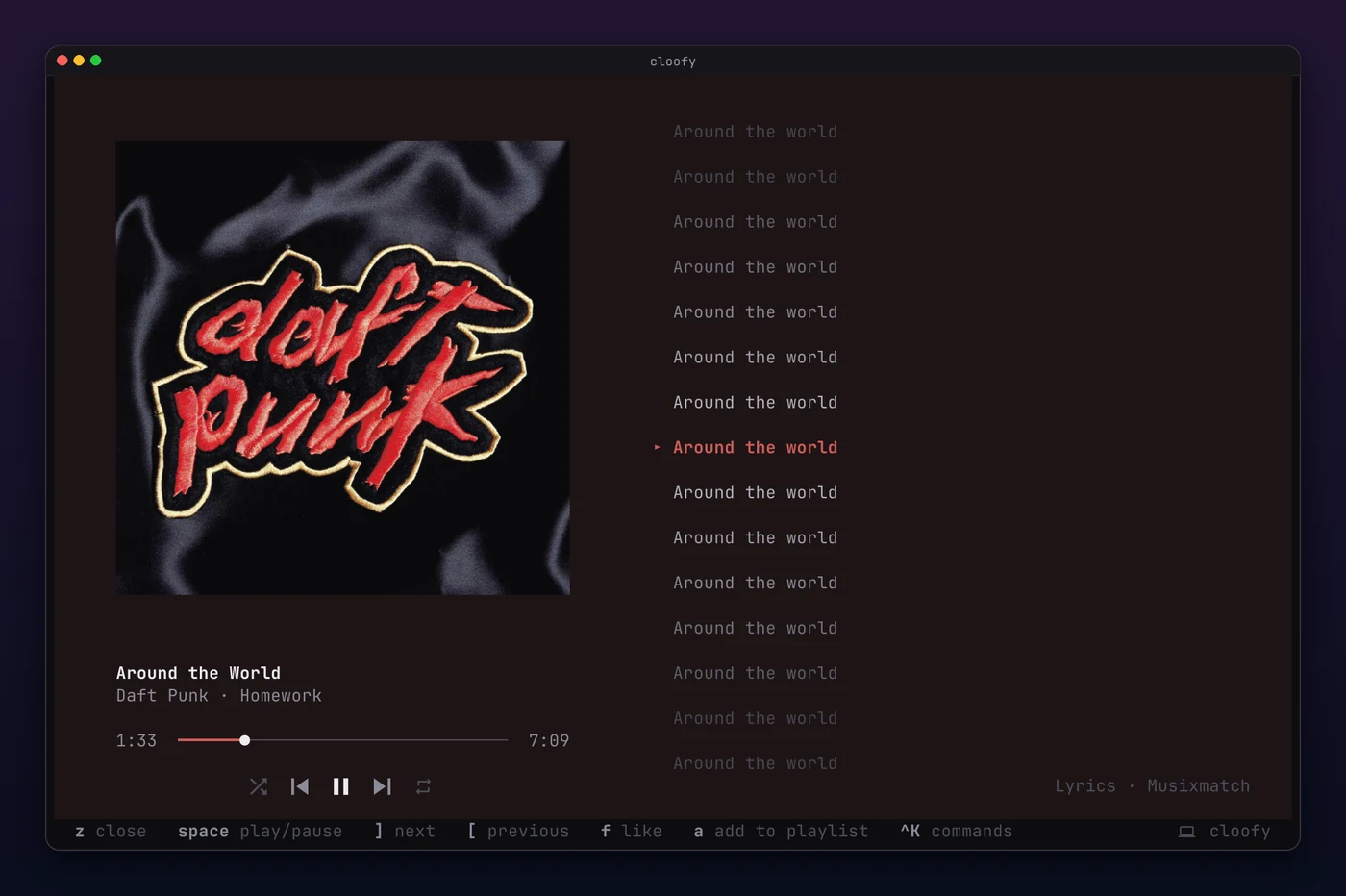
z opens the track in full: a large cover, and lyrics that follow the song line by line.
Playlists and albums with the playing song marked, artist pages with popular tracks and play counts, search with covers, and your whole library as a grid.
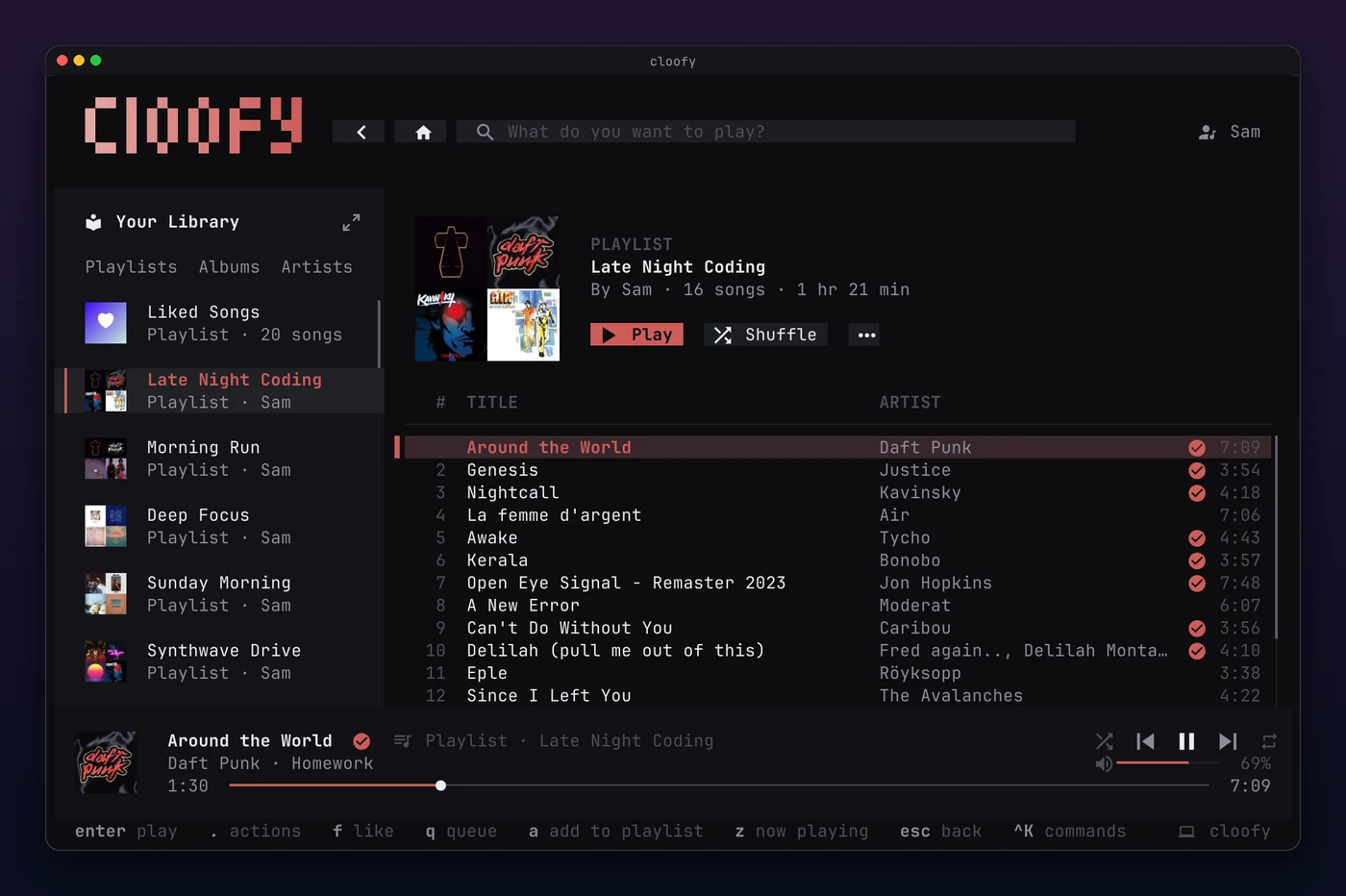
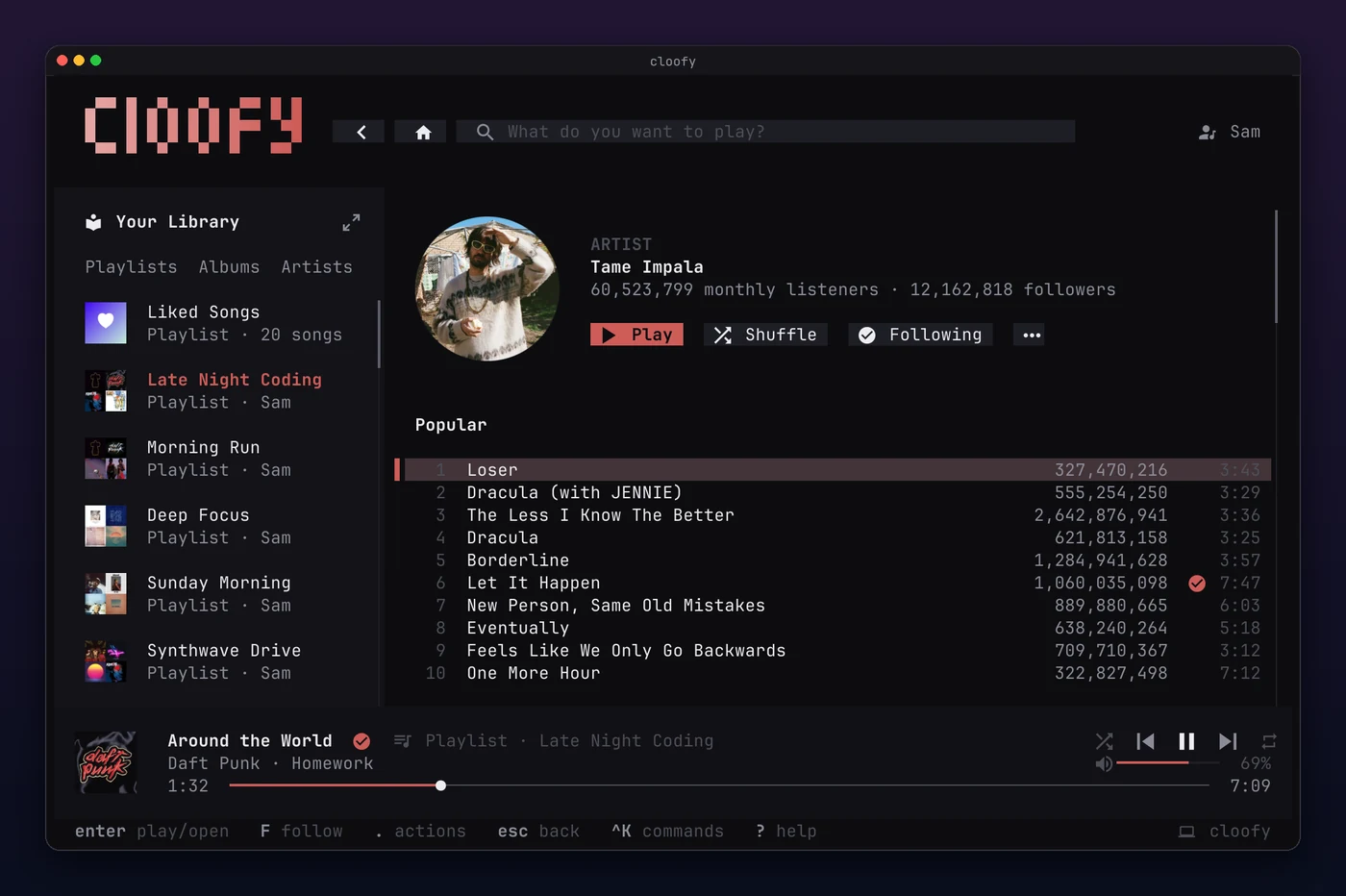
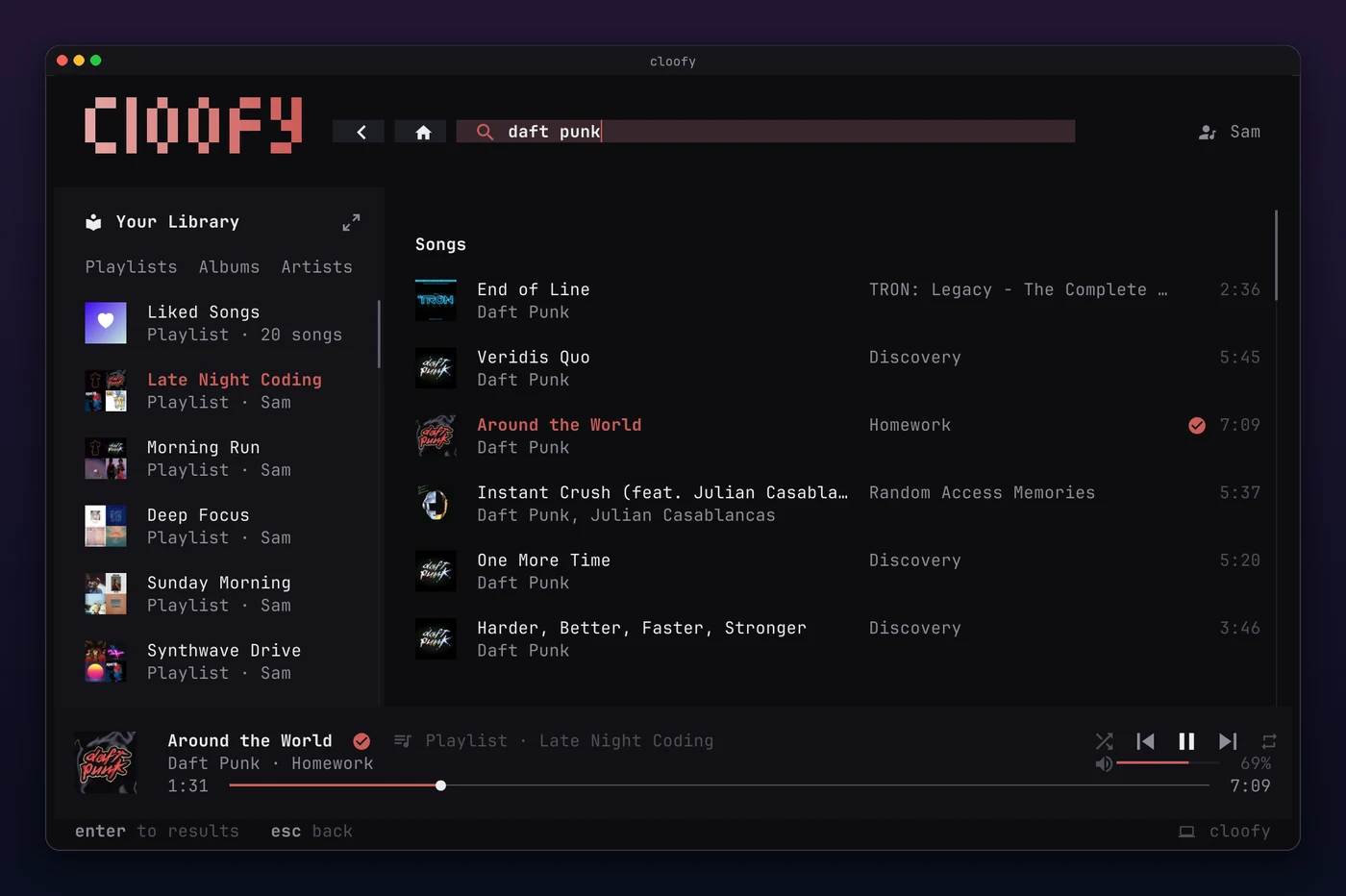
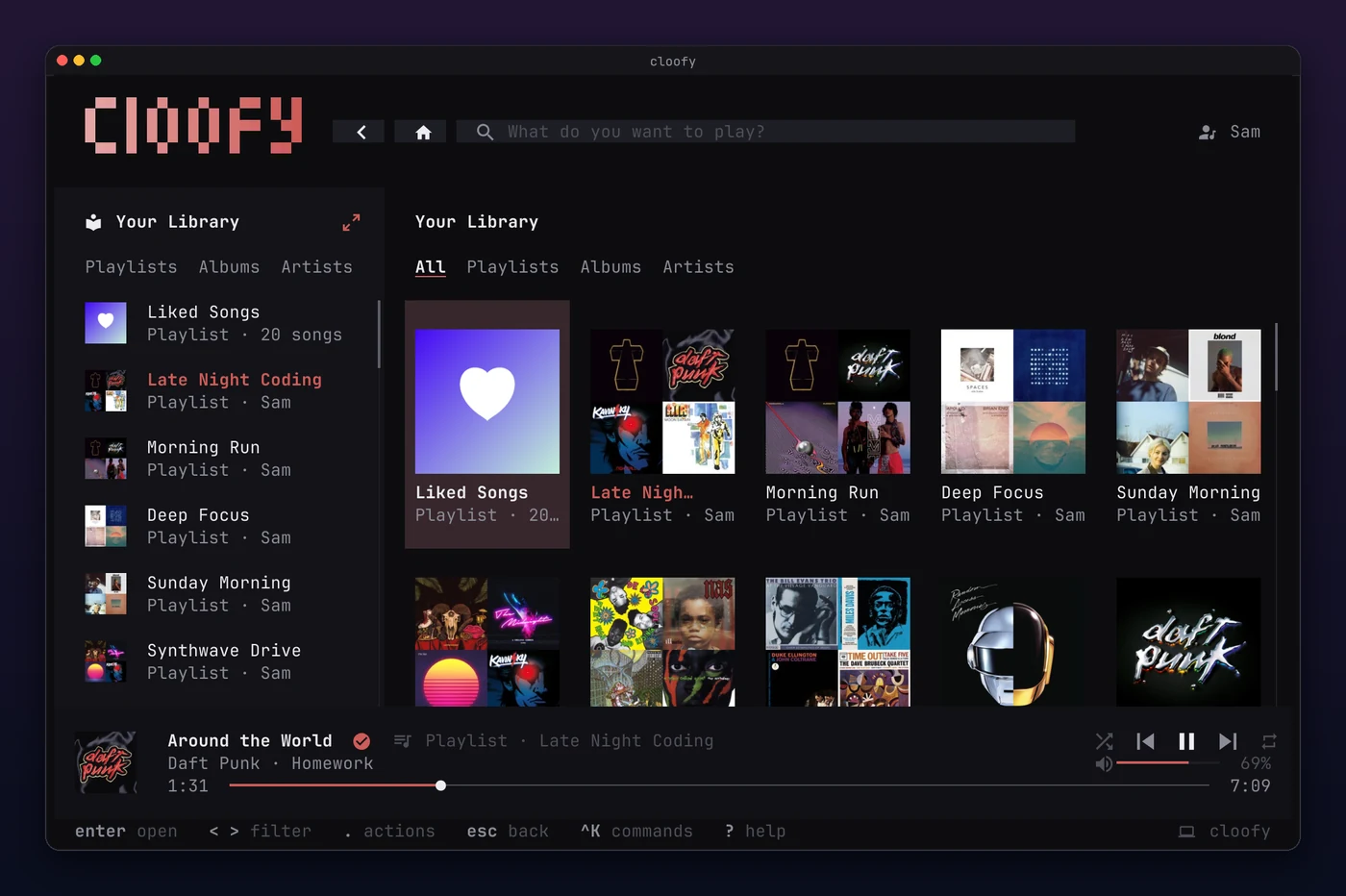
Ctrl K opens a command palette for every action and playlist, ? lists all keys, and the hint bar at the bottom shows what works on the current page. All of it works with the mouse too.
All shortcuts →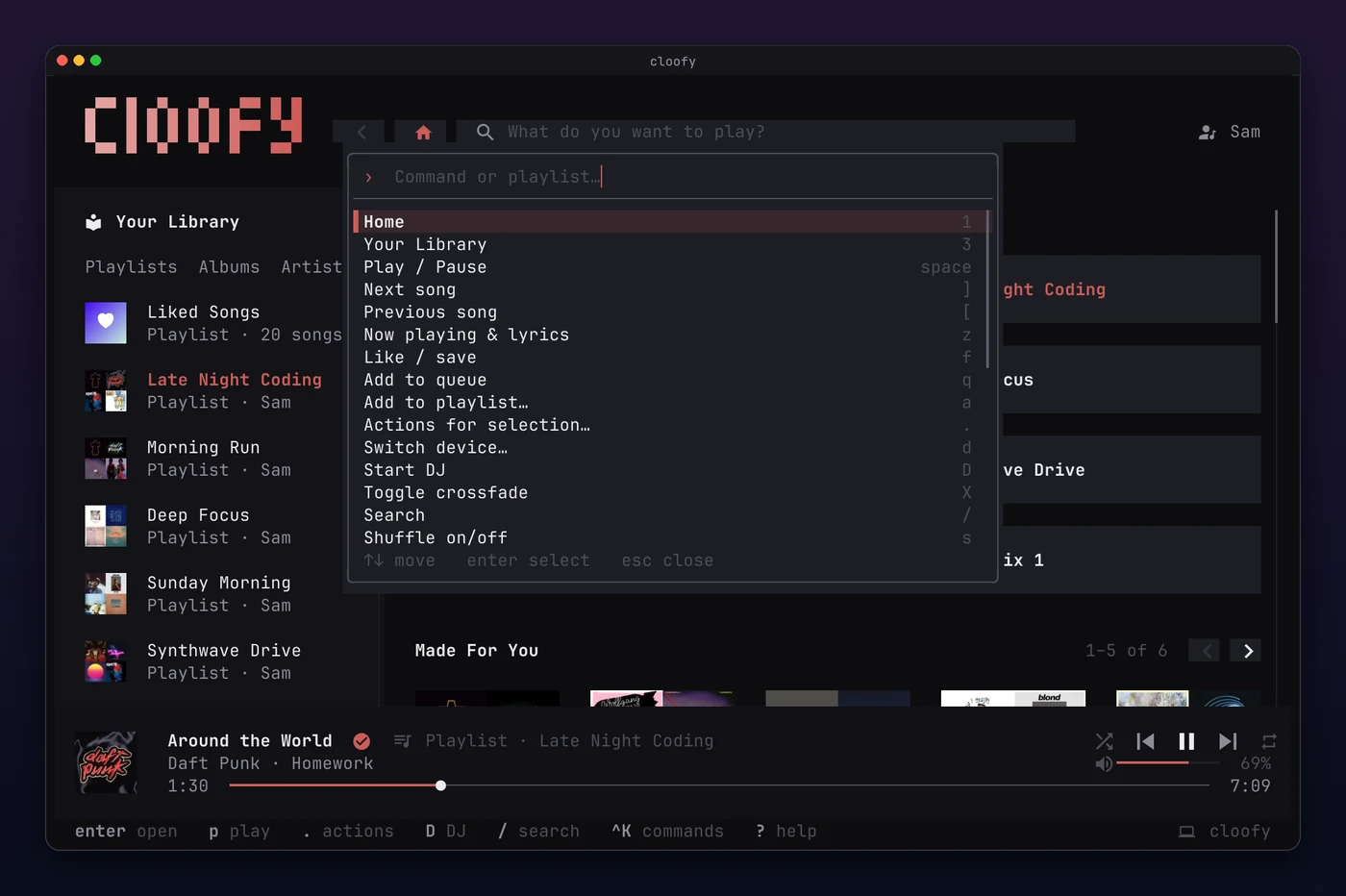
Install one, or both. Each comes as a build of its own, so a YouTube Music install carries no Spotify code, and the other way around.
On Omarchy, cloofy takes its colors from the theme and follows it when you switch, without a restart. cloofy omarchy install adds the rest:
$ cloofy omarchy status

  cloofy for Omarchy

  ✓  Bar widget      cloofy.nowplaying, in the bar
  ✓  Theme           follows everforest
  ✓  Menu            Music in the Omarchy menu
  ✓  Launcher        cloofy in the app launcher
✓ Super+Shift+M opens cloofyThe installer first asks what you listen to: Spotify, YouTube Music, or both. Then it checks your system, puts the latest release in ~/.local/bin, and walks you through the setup.
curl -fsSL https://cloofy.app/install.sh | bashPackage managers have the same three builds:
brew install parda21/cloofy/cloofy-ytmusicThe install guide has the installer's options, building from source and uninstalling.
No. Outside its own apps, Spotify streams only to Premium accounts.
No. YouTube Music plays without any account, and signing in only adds your library and likes.
Spotify gives its Web API, which cloofy reads your library and searches through, only to registered apps. Apps in development mode are limited to a handful of users, so one shared app couldn't serve everyone. Yours is free and only yours, and the installer sets it up with you.
cloofy keeps only youtube.com's cookies, in a file only you can read or in the macOS Keychain, and sends them only to music.youtube.com. Streams, covers and lyrics load without them. cloofy logout ytmusic deletes them.
Requests to Spotify and YouTube Music, for the services you use, and to LRCLIB for lyrics they don't have. cloofy also asks GitHub for new releases. Nothing else: no telemetry, no server of its own.